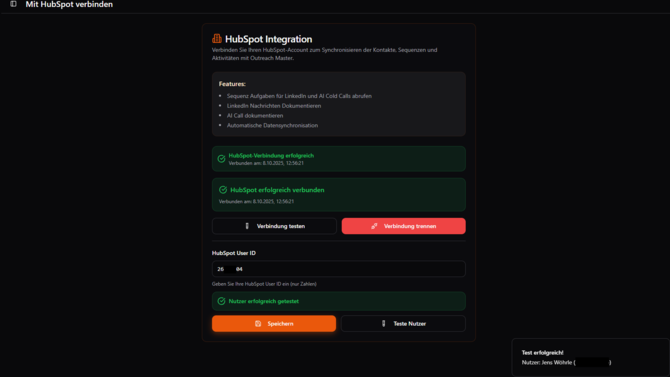
Connect Outreach-Master with HubSpot
Instructions for Connecting
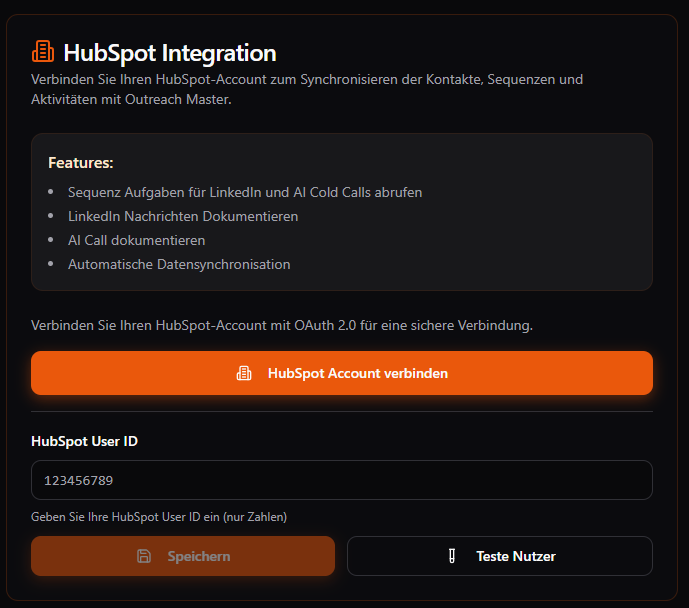
Step 1: Click “Connect with HubSpot.”
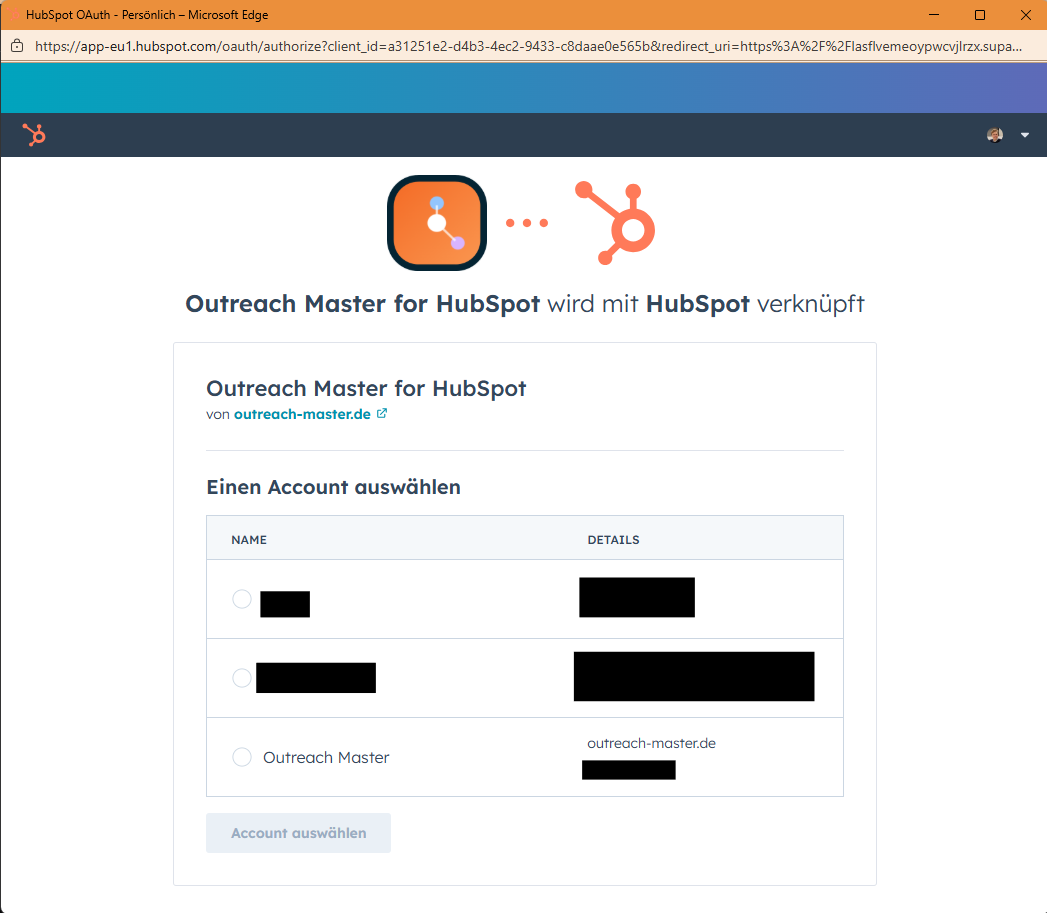
Step 2: Select your HubSpot account.
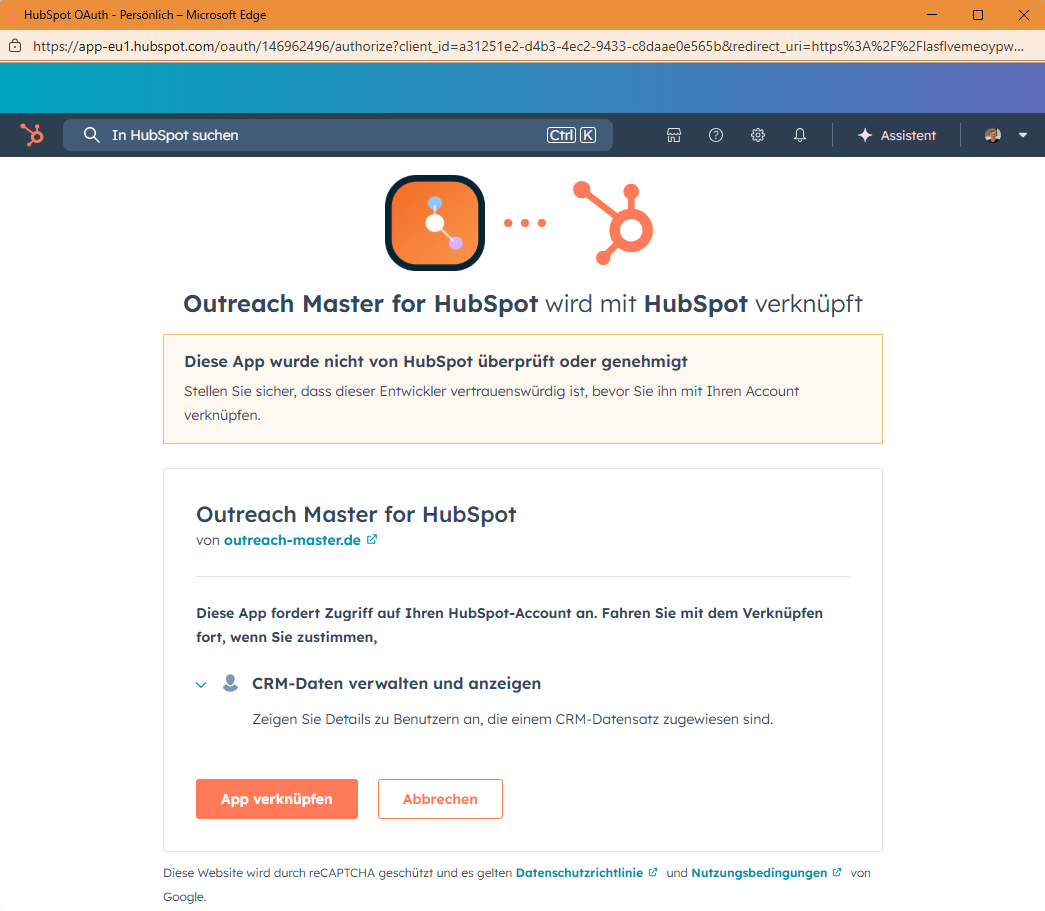
Step 3: Confirm the connection.
Step 4: Test the connection.
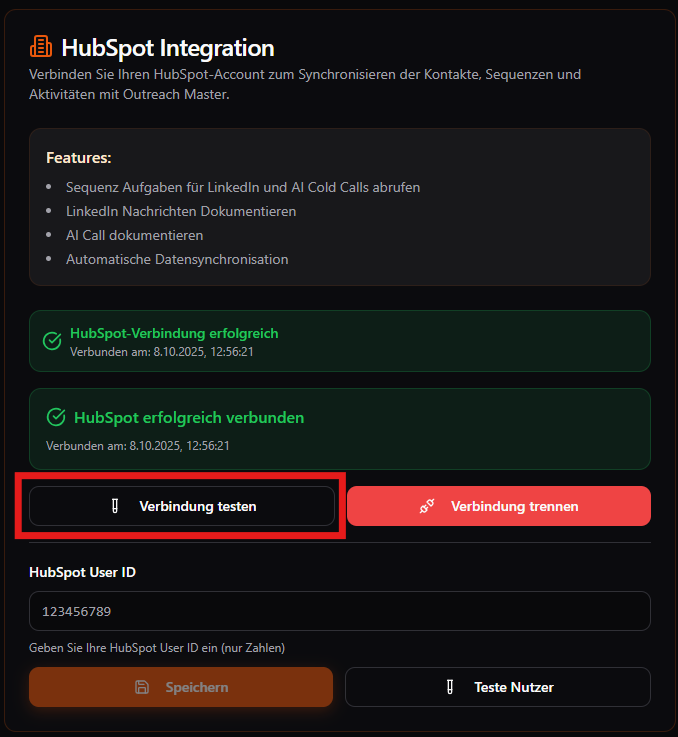
Step 5: Define the HubSpot user for whom the Outreach Master Account should be used.
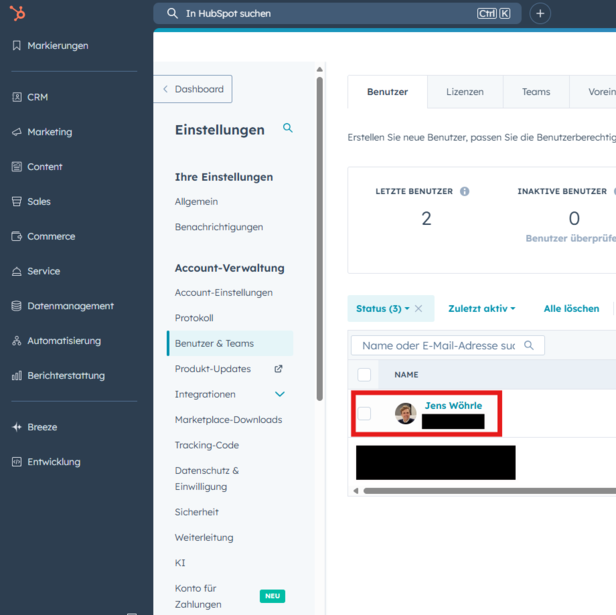
- Go to Settings → “Users & Teams.”
- Click the user.
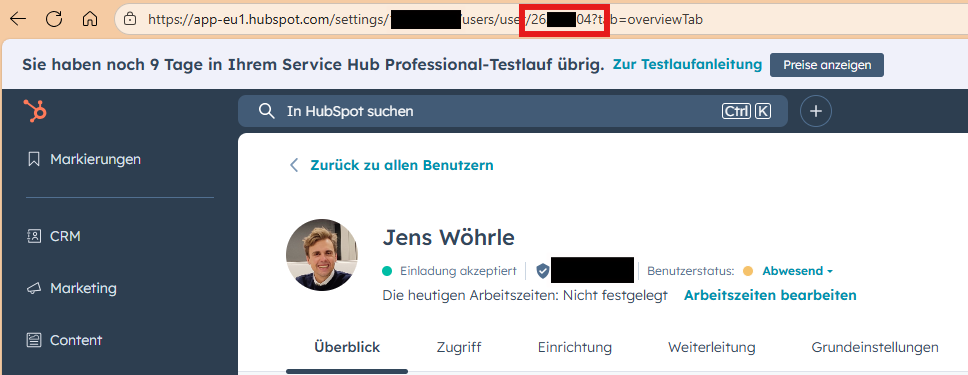
- Copy the HubSpot User ID from the URL (highlighted in red).
Step 6: Save and test the User ID.